
Story cards
How to create Story Cards for your wedding
Turn meaningful moments from your relationship into cards guests can discover around the venue. Each card reveals a story when it is scanned, turning your wedding into a little trail through your memories.
Create the stories in JoinOurDay, download the cards and place them wherever you want guests to find them.
01
Choose your stories
Start with the moments that say something about you as a couple — meaningful, funny, unexpected or simply worth remembering.
The beginning of everything.How you first found each other.
The holiday where something changed.A trip you still talk about.
The story behind the question.The memory guests may not know.
A funny, unexpected moment.Something worth retelling together.

02
Create your cards
Give each memory a title, photograph and short description. Keep the story focused enough to enjoy in a few moments while guests are exploring the venue.
Title
Give the moment a short title that makes guests curious.
Photograph
Choose an image that brings the memory to life.
Story
Share the detail guests would not know from the photograph alone.

03
Download and place them
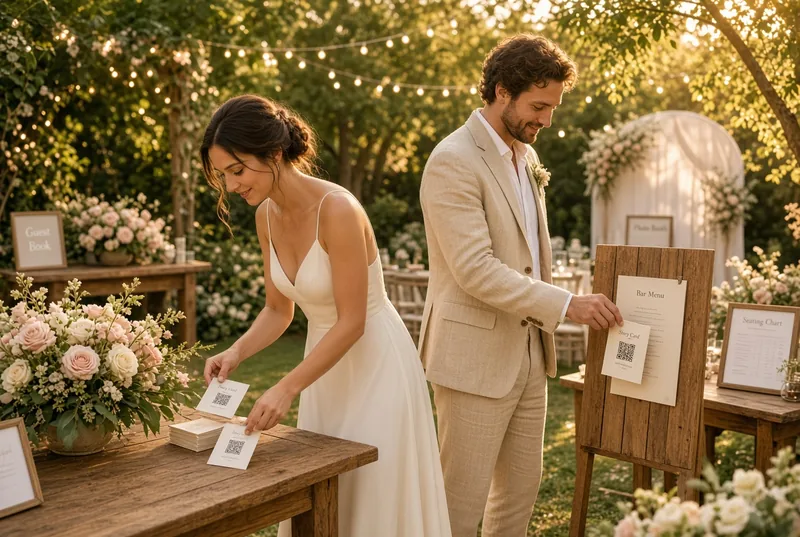
When your stories are ready, download the ready-to-print PDF and bring the cards into your wedding day. You can use as many of the available card positions as you need — there is no need to fill every one.
Welcome area · Bar · Seating plan · Guest book · Photo booth · Garden

04
Let guests discover them
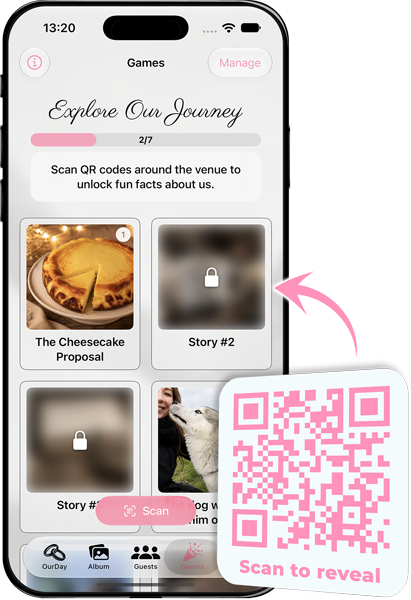
Guests scan a Story Card to reveal the memory behind it and see their progress as they discover more throughout the celebration.
Scan in JoinOurDay
Guests can scan the Story Card directly from the app.
Scan with their phone camera
Guests can scan the QR code with their camera and continue into JoinOurDay.